Motileo changelog
Changelog
The latest Motileo releases and improvements.
By continuing, you agree to our T&C and Privacy Policy.
Competition Layouts Revamped: New Animations, New Sailboats Layout, and More to Come
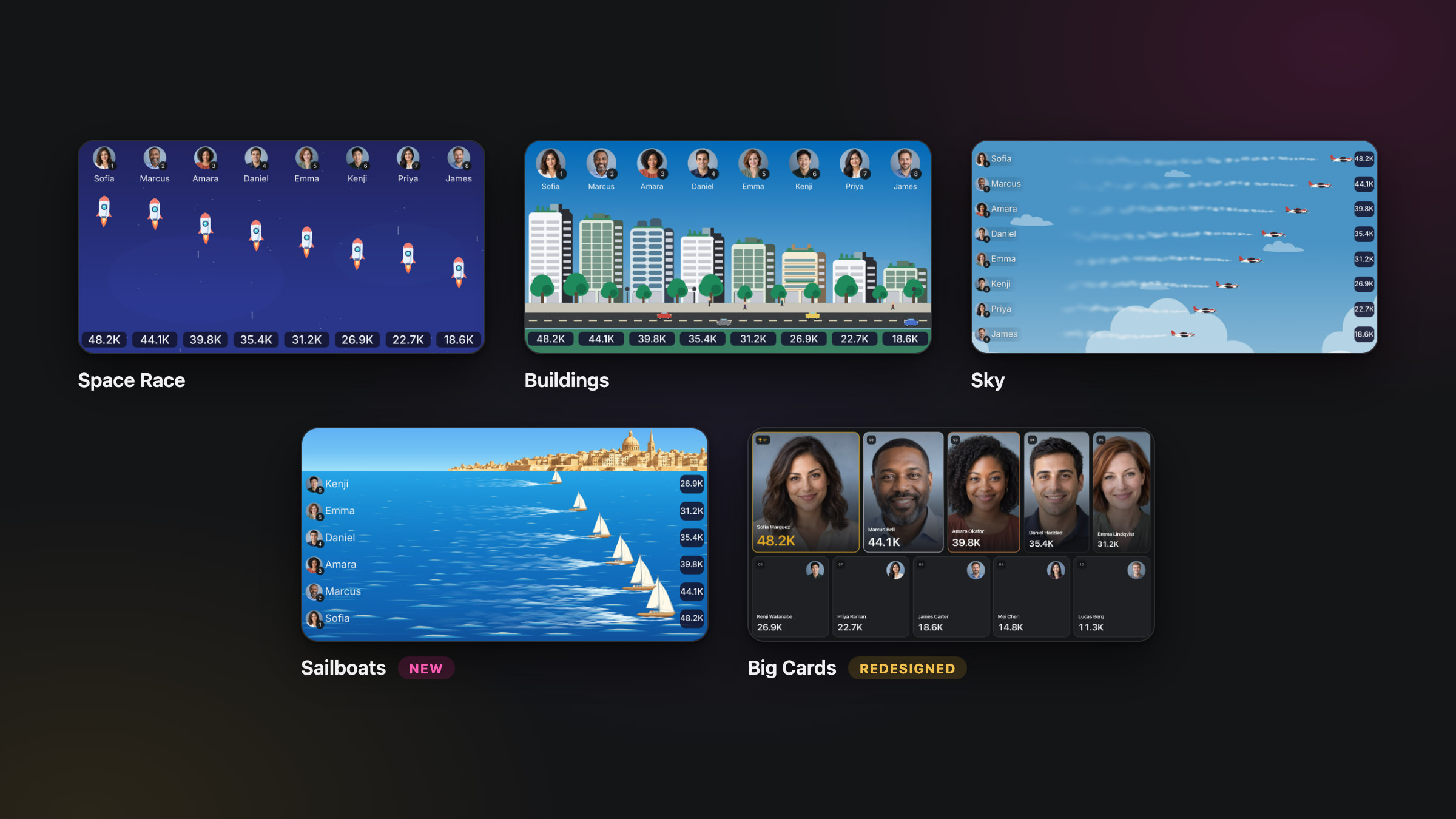
Your competitions are getting a fresh look, and a whole new sense of motion!
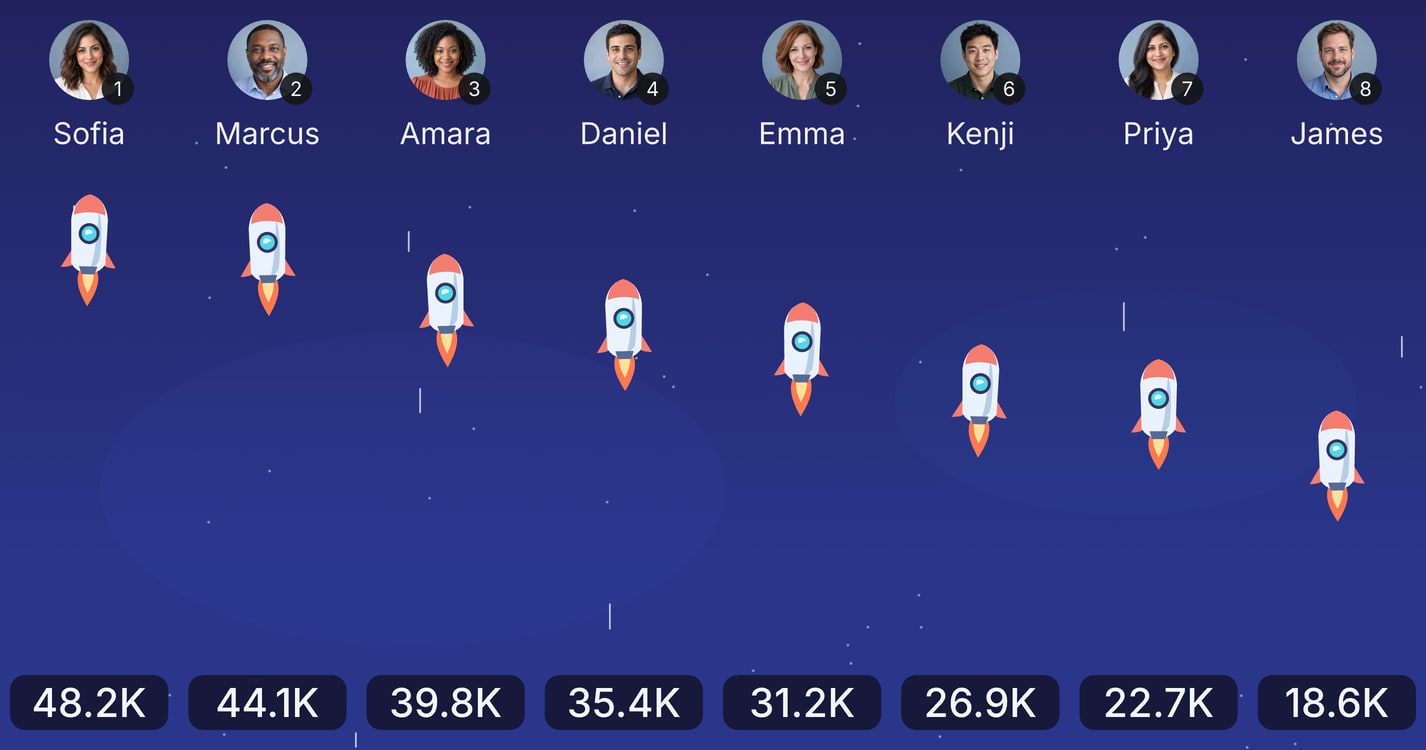
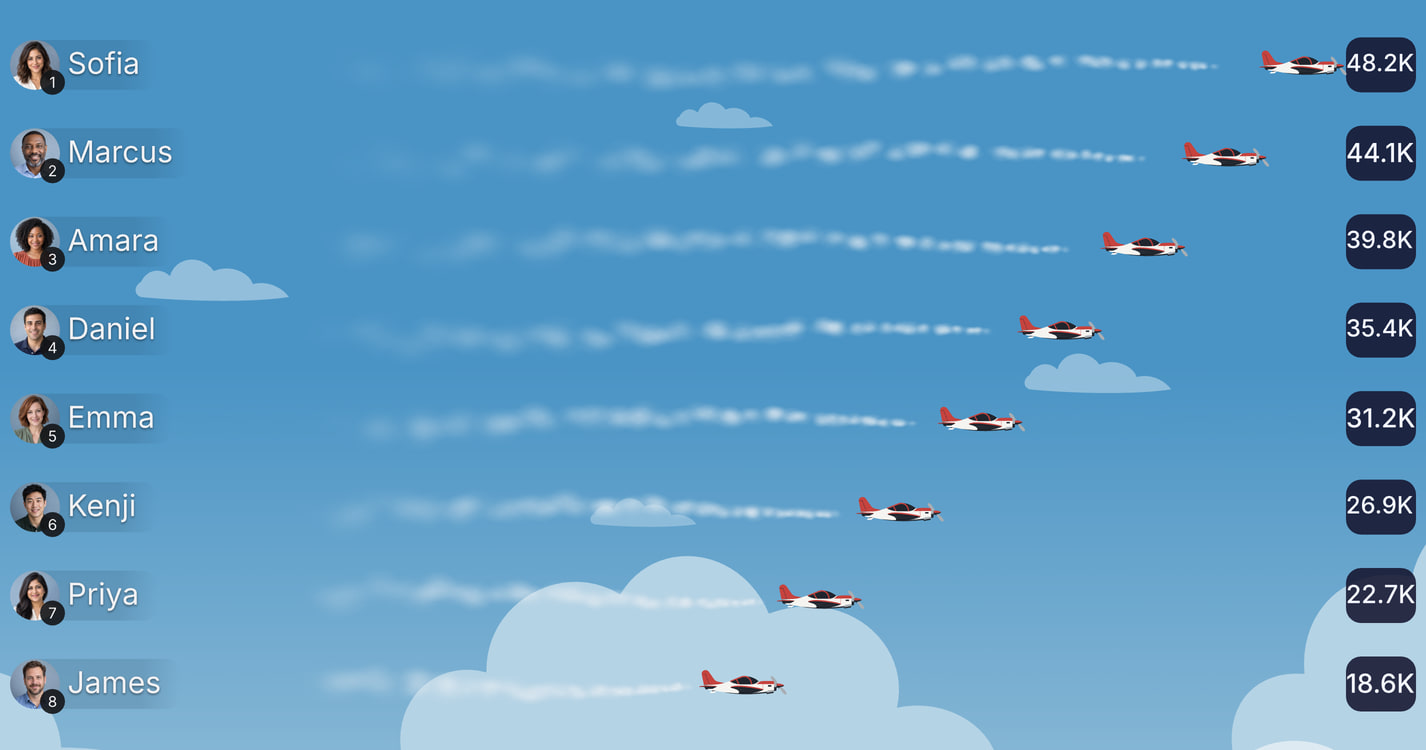
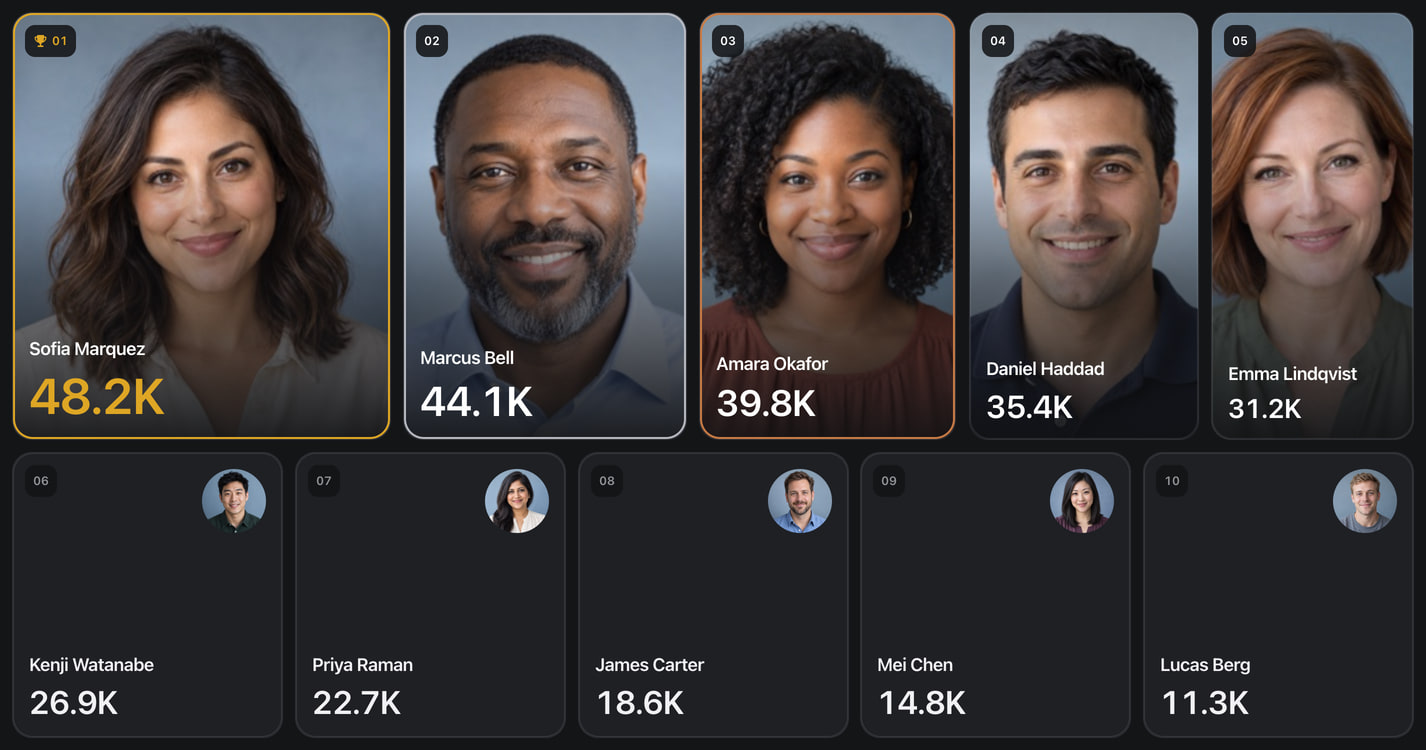
We’ve revamped the animation system behind our competition layouts to bring smoother movement, cleaner transitions, and more life to every leaderboard. Alongside refreshed designs, this gives us a foundation to create more imaginative ways to showcase your team’s progress.
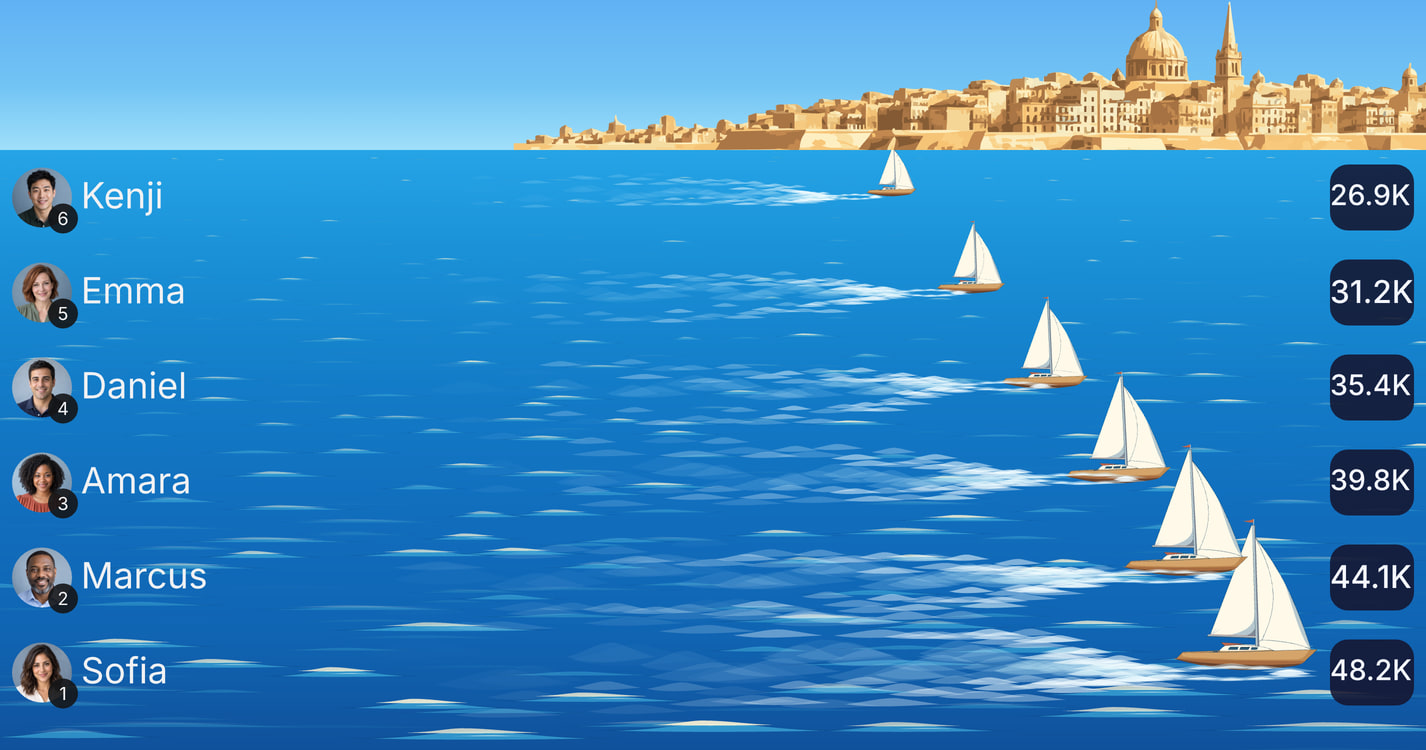
Leading the way is Sailboats, our newest competition layout. Turn your leaderboard into a race across the water, where every participant is part of the action. It’s a fresh way to build momentum, celebrate progress, and make the race to first place something everyone wants to follow.
And we’re just getting started. With our new animation system in place, we’ll be introducing many more layouts over the coming months, bringing new themes and new energy to your competitions.
Have a theme you’d love to see? From a favourite sport to an entirely different world, we welcome your ideas and layout requests. Tell us what your team would love to compete in, you could help inspire what comes next!
Revamped Space Layout
Revamped Sky Layout
Revamped Buildings Layout
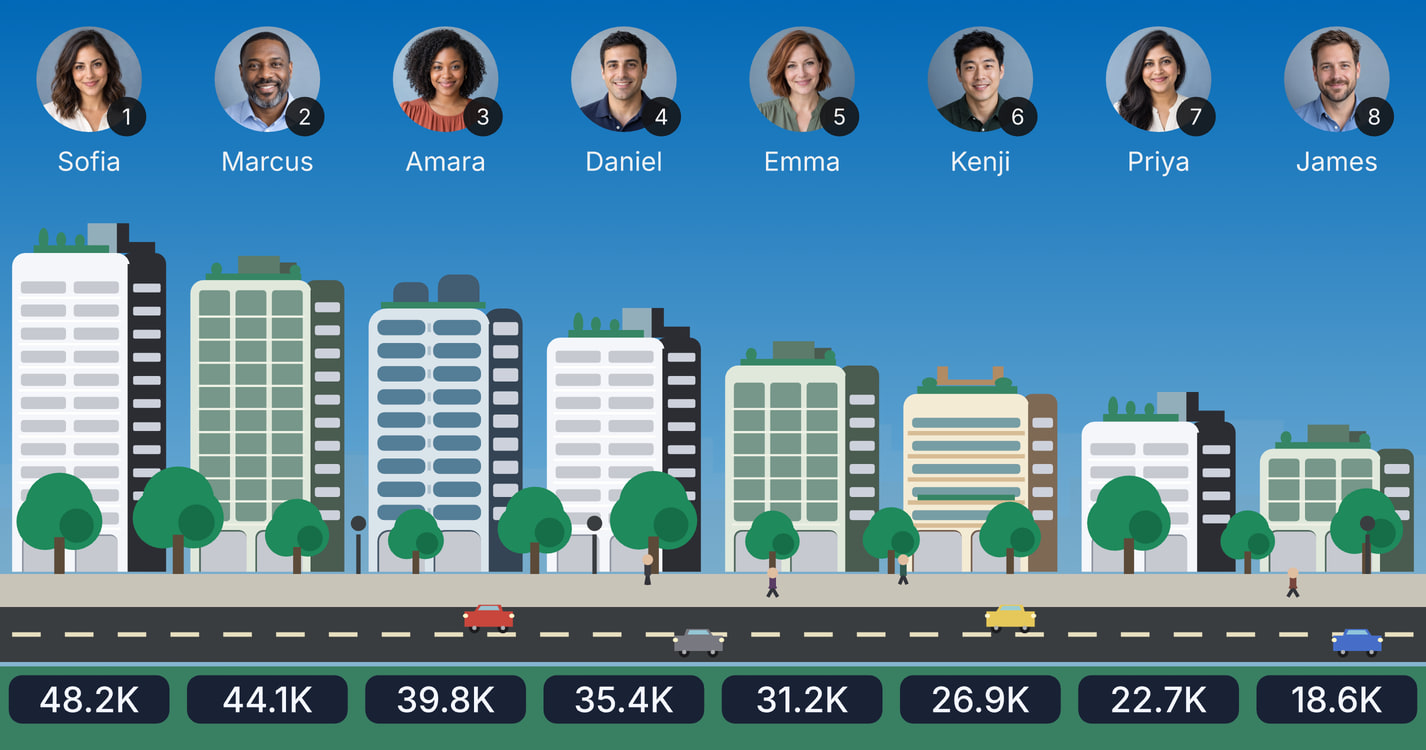
Revamped Cards Layout
Brand-new Sailboats Layout
Custom Teams in Competitions
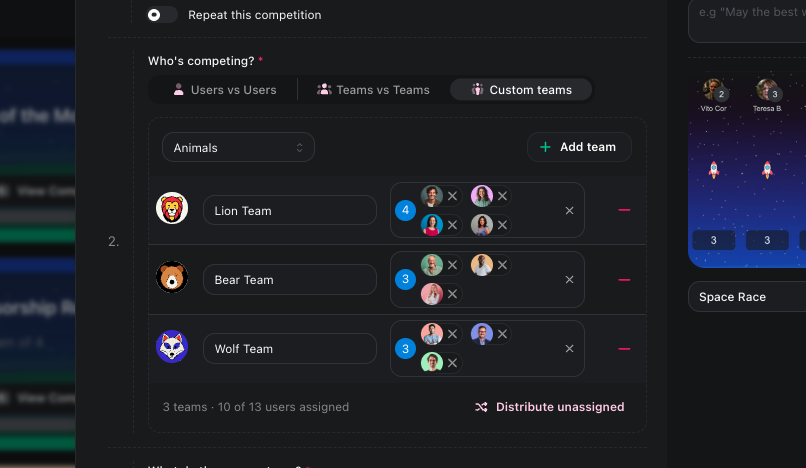
Create teams for a single competition, and nobody's real team or department changes.
Set up the competition teams
Open your competition's Settings. Under Who's competing?, choose Custom Teams and pick a theme: Animals, Football, Space, Fantasy, Nature or Vehicles.
Each click on Add team creates a team with a name and an illustrated avatar, such as Lion Team or Strikers. You can rename it, pick a different illustration or upload your own image.
Add people from the dropdown. Or click Distribute unassigned to spread everyone who is left evenly across the teams.
How it plays
A team's score combines its members' results on any metric, including multi-metric points.
The winning team's coin prize is split among its members.
Team names and avatars appear on the competition page, on competition cards and on TV screens. The leaderboard updates live.
If you move people between teams mid-competition, the scores recalculate straight away. Recurring competitions keep the same teams every round.
⚔️ The Battle Arena, redesigned
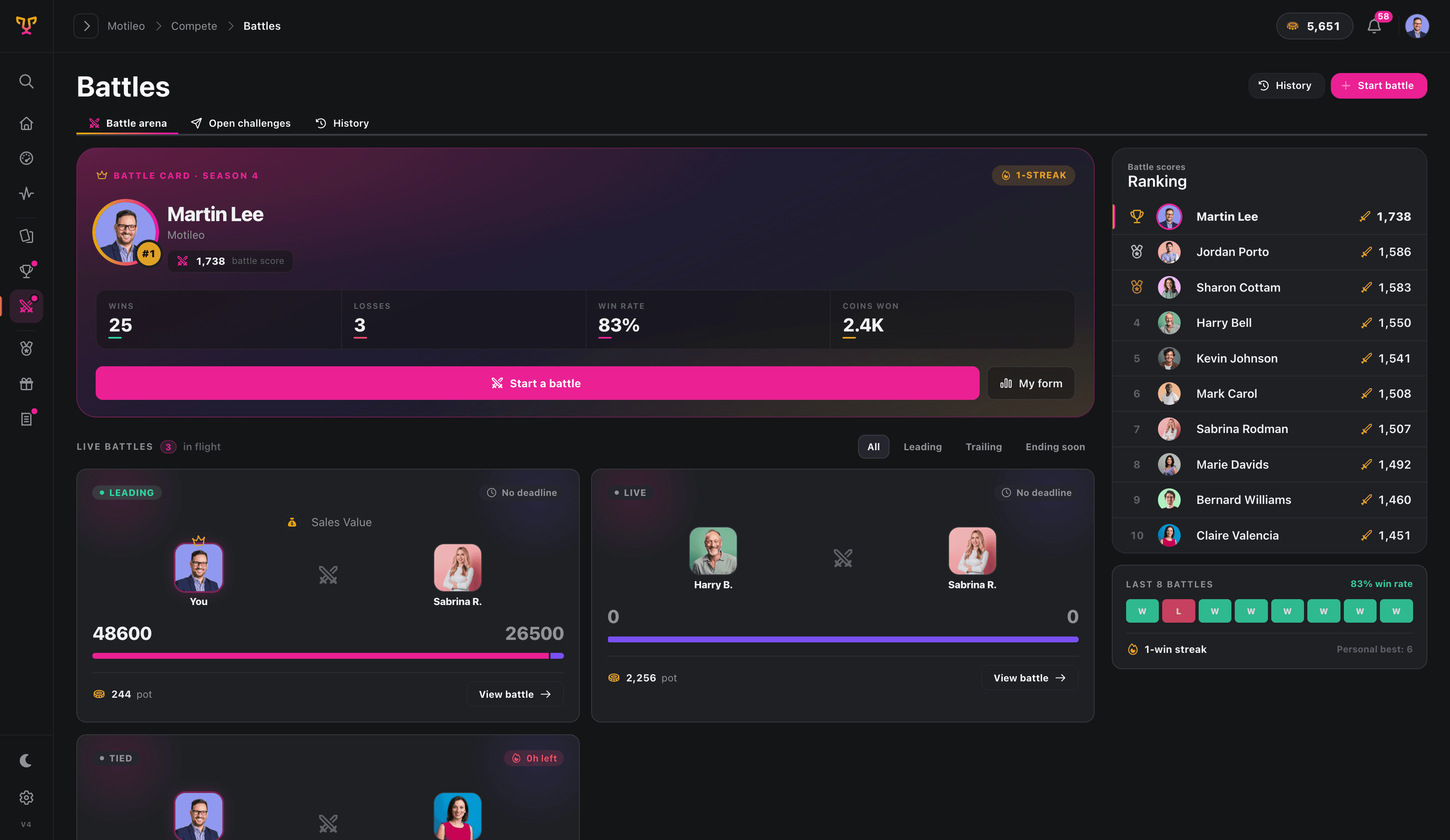
The Battle Arena just got a serious upgrade. Sharper, smarter, and built to make every matchup mean more.
What's new
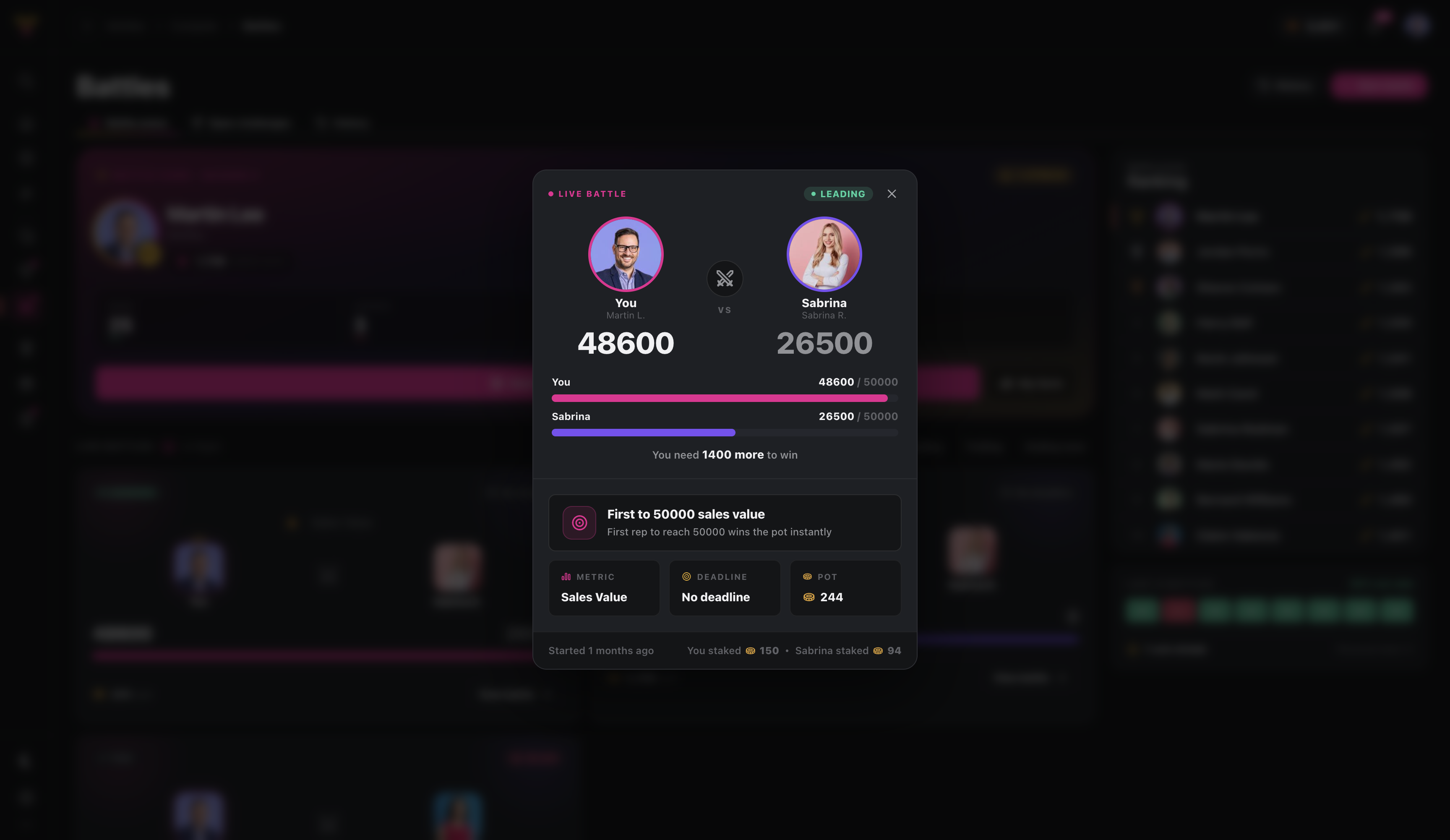
Redesigned battle cards - richer, clearer, and packed with more of the information you actually care about, all at a glance.
Win streaks - momentum is now front and center. Rack up back-to-back victories and watch your streak climb, so everyone knows who's on a roll.
Last-X battle form - see recent form at a glance with a running snapshot of the last few battles. Who's heating up, who's cooling off, and who's about to be dethroned. Together, these turn the Arena from a scoreboard into a story. One where every battle builds on the last. Step in and defend your streak. 🏆
🎁 The Rewards Store, redesigned
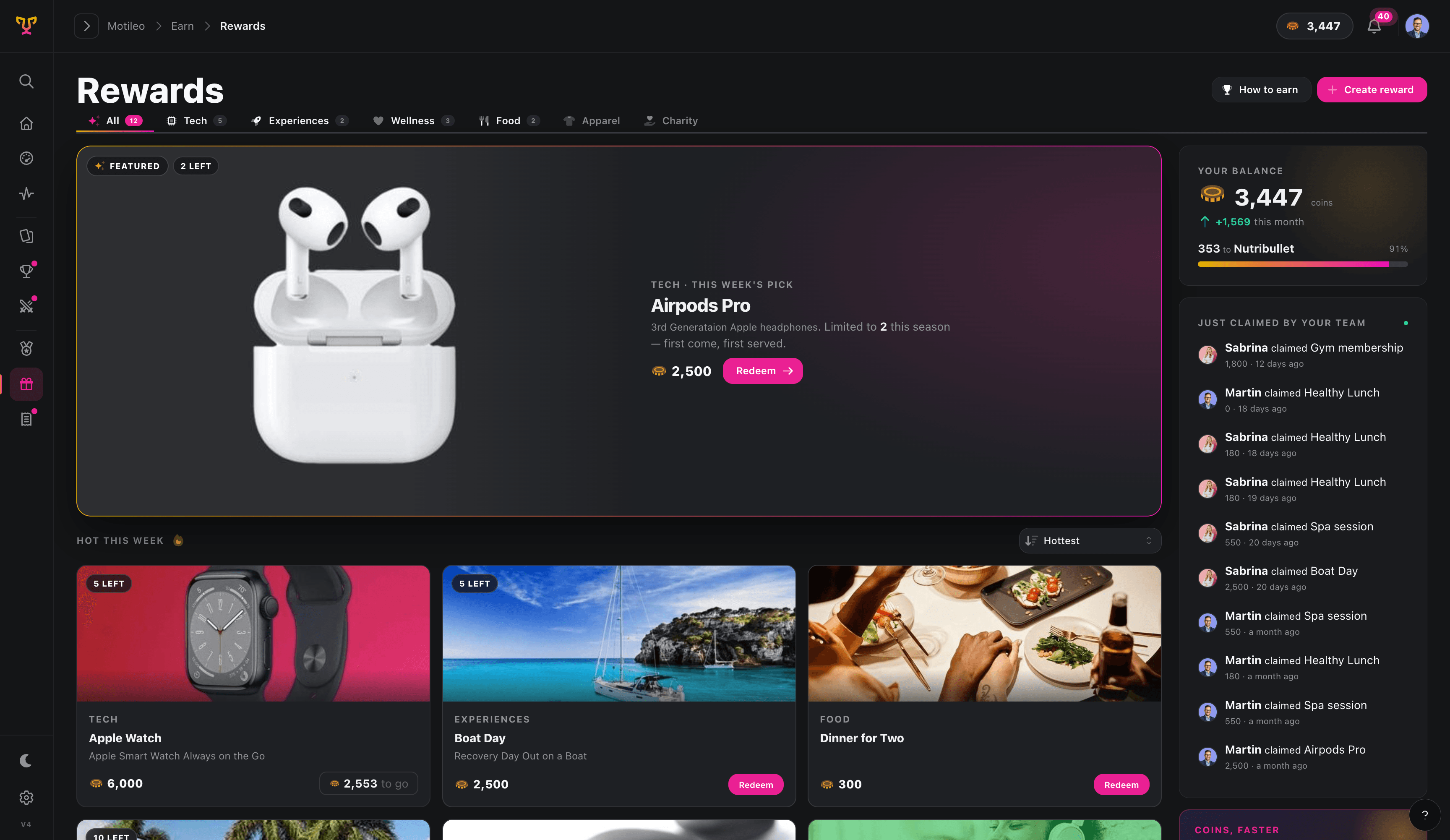
Your rewards just got a storefront worthy of them.
The Rewards Store has always been where performance pays off. Now it looks like it too.
✨ What's new
A completely redesigned Rewards Store that makes browsing, discovering, and claiming rewards feel exciting.
🗂️ Categories
Rewards are now organised into categories - Tech, Experiences, Wellness, Food, Apparel, Charity, and more. Find what you want instantly instead of scrolling through everything at once. Your admin defines the categories; your team navigates them in one click.
🔥 Sorting & discovery
A featured hero slot puts your best reward front and centre - limited stock, this week's pick, whatever deserves the spotlight. Below it, Hot This Week surfaces the rewards your team is actually going after, with sort options to filter by what's hottest, newest, or cheapest.
📣 Social claims feed
See what your teammates are redeeming in real time. Every claim shows up in the live feed on the right; name, reward, and how long ago. It's social proof that the rewards are real, the coins are worth earning, and your team is cashing in.
🚀 Why this is powerful
Better design = more motivation. A store worth opening is a store people check. That means more engagement with the rewards that drive performance.
Categories cut friction. When people can find what they want in seconds, they're more likely to actually set a goal and work toward it.
The social feed creates momentum. Seeing Sabrina claim a Spa Session or Martin grab AirPods Pro makes earning feel real, and makes others want in.
🔁 Recurring Competitions
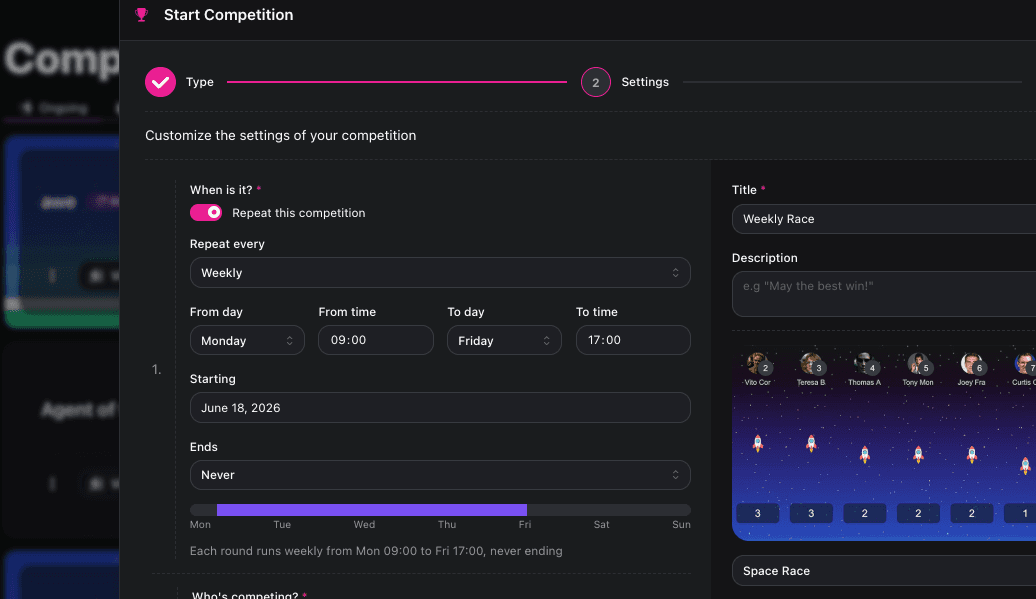
Your competitions never have to stop running.
The best-performing teams don't compete once and move on, they compete constantly. But keeping that going meant someone had to manually restart a competition. Every week. Every month. Every cycle. Until now.
Recurring Competitions let you configure a competition once and have it automatically repeat on the cadence that works for your team. Daily, weekly, or monthly. Each round kicks off on schedule, rankings reset, and the energy stays alive without you lifting a finger.
Set it and walk away. Your team always has something to compete for.
✨ What's new
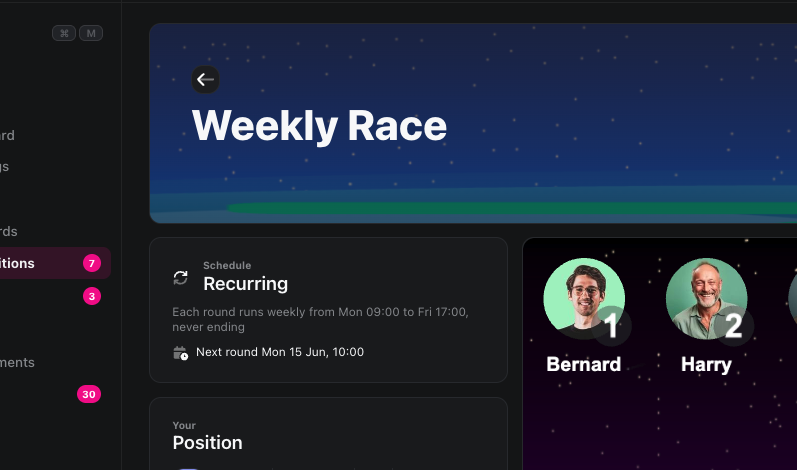
You can now turn any competition into a recurring series. Pick your cadence, define the window (Mon 09:00 → Fri 17:00, for example), choose a start date, and decide when, or if, the series ever ends.
Every round runs automatically from there.
⚡ How it works
Create or edit a competition and toggle on "Repeat this competition."
Choose your cadence: daily, weekly, or monthly.
Set the window and start date. A live preview shows exactly when each round runs.
Set an end date, or leave it as Never. That's it.
Motileo handles every round from there. ✅
🚀 Why this is powerful
Fire and forget. No more manual resets. No more gaps where momentum dies between competitions.
Consistent rhythm. Regular competition cycles build habits, your team starts expecting it, showing up for it, performing for it.
Always-on visibility. Live standings keep running, so performance is always front-of-mind.
🎛️ Built for flexibility
Full schedule control. Set exact start/end times and days so rounds fit your team's working week.
Never-ending or time-boxed. Run a series indefinitely or set a hard end date for a seasonal push.
Works with everything. Recurring competitions sit alongside your one-off competitions, battles, and leaderboards just like before.
💡 A few ways to use it
Run a weekly sales competition that resets every Monday morning automatically.
Set up a monthly activity challenge to close out each month strong.
Keep a daily streak competition going to reward consistent performers all quarter.
▶️ Try it now
Open any competition, toggle on "Repeat this competition," and pick your schedule. The best managers build systems - this is yours. 🏆
📊 Dashboards as TV Slides

Your dashboards just got a much bigger audience.
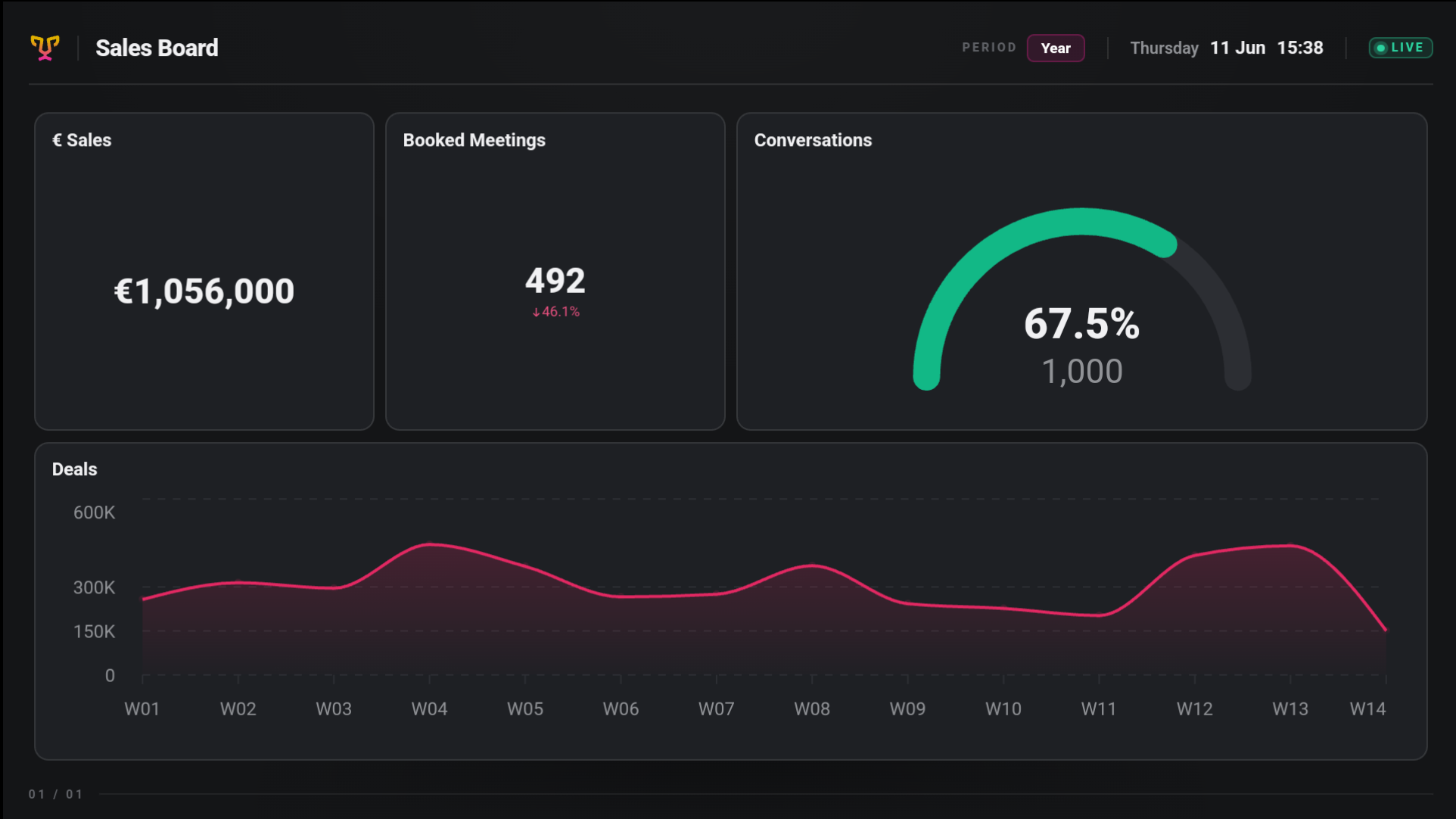
Every dashboard you've built in Motileo is packed with live, meaningful data, but until now, that insight only showed up for people who logged in to see it. Not anymore. Any dashboard can now run as a TV slide, beamed straight to the screens on your walls, your sales floor, or your break room.
No rebuilding. No duplicating. The board you already trust, now on the big screen. 🖥️
✨ What's new
You can now turn any dashboard into a TV slide and drop it into your playlists alongside everything else. Announcements, Active Battles, and the rest. The data stays live, the layout stays yours, and your team sees it the moment they look up.
⚡ How it works
It takes two clicks:
Open the board's settings and switch on "Usable as a slide."
Add the board to a playlist - exactly like any other slide.
That's it. Your dashboard is now on TV. ✅
🚀 Why this is powerful
Live data, zero effort. Whatever your dashboard shows, your screens show - and it keeps updating on its own.
No extra design work. You're not recreating metrics as static slides. The board is the slide.
What you built, where everyone can see it. The filters, targets, and views you already set up carry straight to the screen.
🎛️ Built for flexibility
Toggle it per board. Decide exactly which dashboards belong on screens — and which stay private.
Mix and match freely. Combine dashboards with announcements, battles, and other slides in a single playlist.
Control the rhythm. Set how long each dashboard stays up and reorder slides however you like.
Target the right teams. Pair it with team-based TV assignment so each screen shows the dashboards that matter to the people standing in front of it.
💡 A few ways to use it
Put a live sales KPI board on the floor so everyone sees progress in real time.
Run a performance or activity dashboard in shared spaces to keep momentum high.
Show pipeline or operations metrics where the team that owns them can glance up and act.
Rotate team-specific dashboards across different screens, each tailored to its audience.
▶️ Try it now
Head to any dashboard, flip on "Usable as a slide," and add it to a playlist. Your best data deserves a spot on the wall. 📺
⚔️ New TV Slide Layout: Active Battles
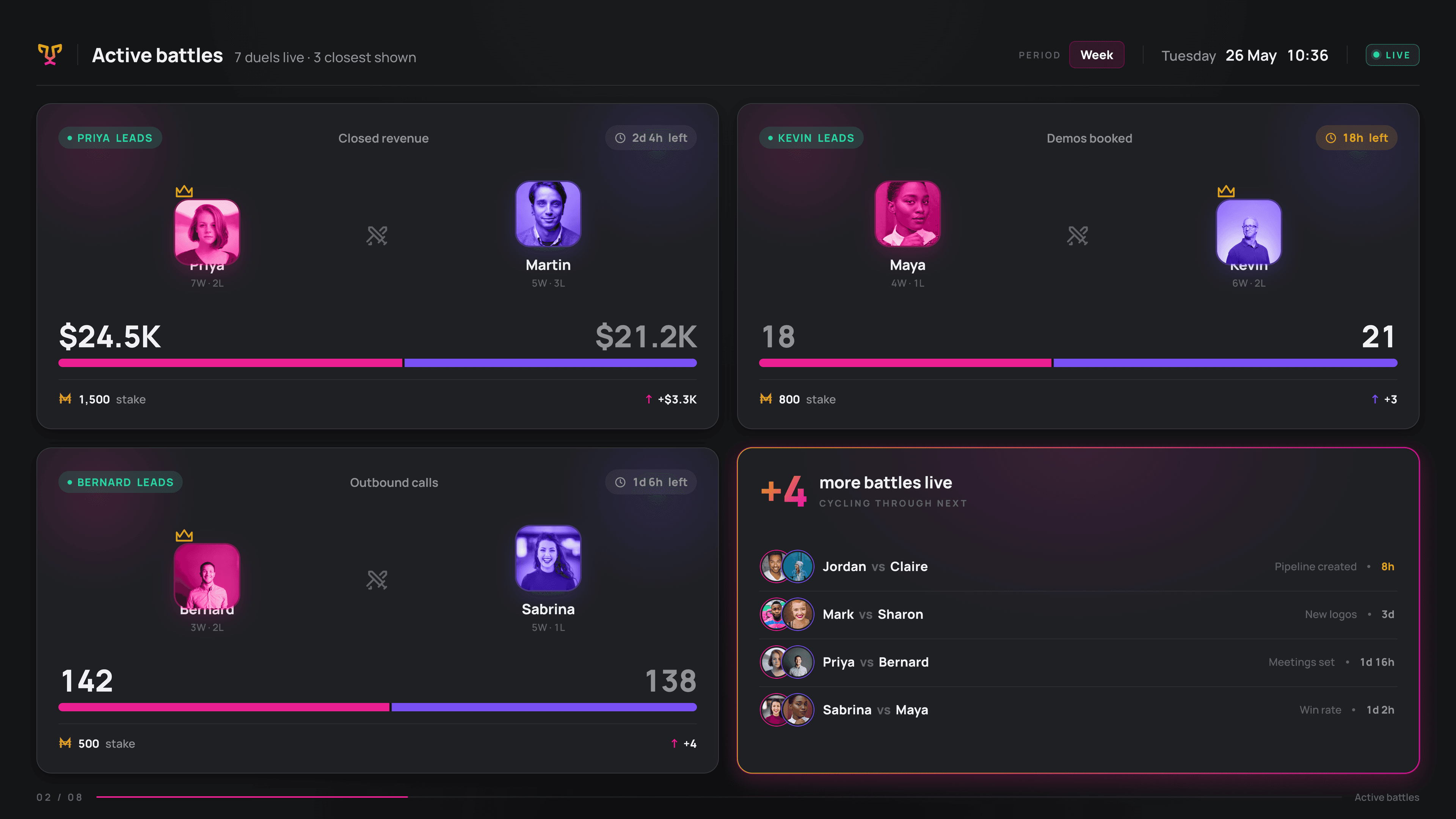
We're introducing the Active Battles slide layout: a dedicated, at-a-glance view of every competition currently running in your company. No more wondering who's ahead or which battles are live - now your TV displays do the talking.
What It Shows
The Active Battles layout surfaces everything your team needs to stay fired up:
Live battle stats — scores, progress, and standings updated in real time
All ongoing battles — every active competition across the company, visible at once
At-a-glance clarity — designed to be read from across the room in seconds
Suggested matchups — Prompt users to start a battle when there is none
✨ Fresh Look for Your TV Slides + a Powerful New Layout

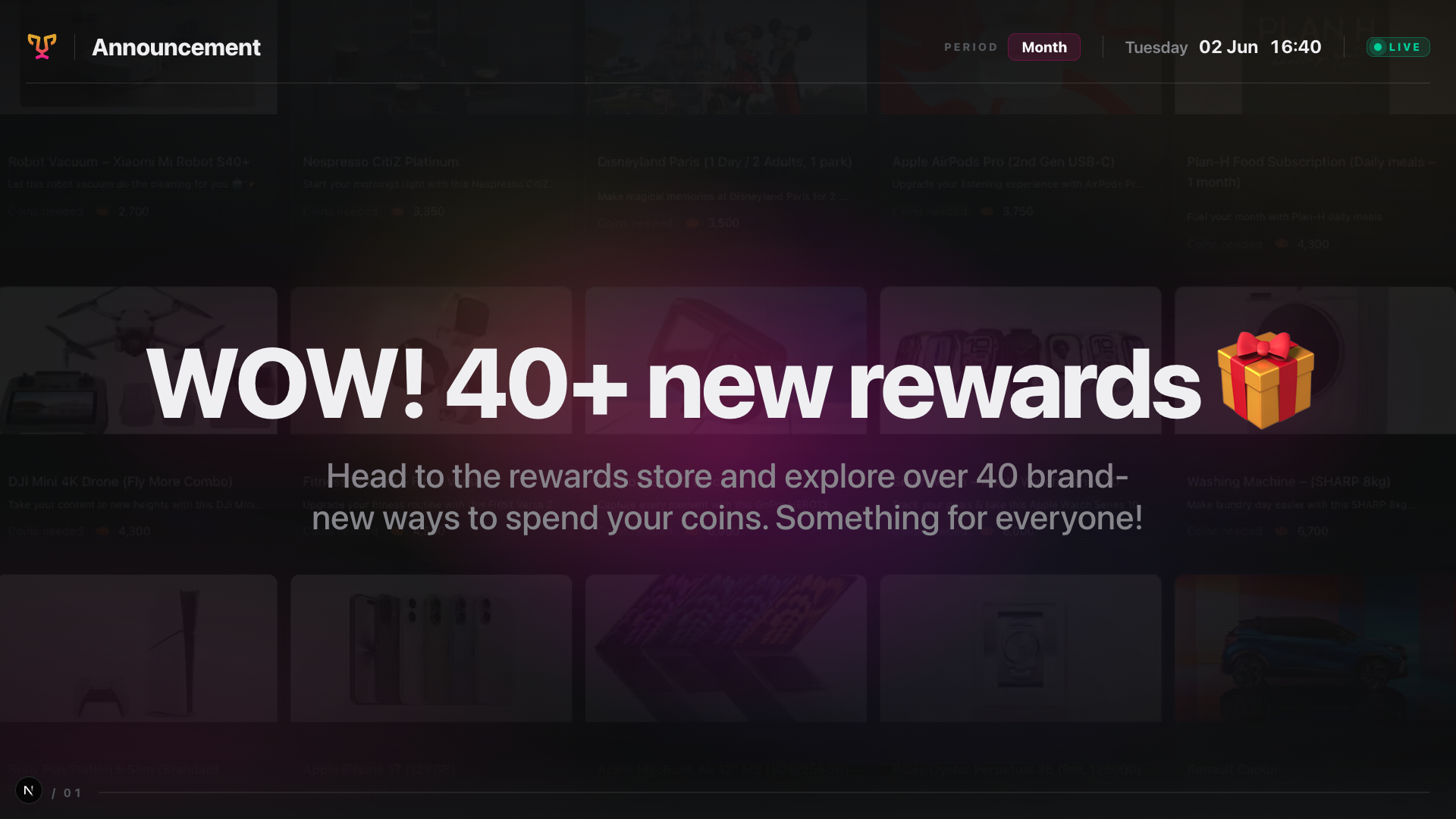
Today we're excited to ship a big visual update: a complete redesign of TV slide layouts, background image support, and a brand-new Announcement slide type.
Redesigned TV Slide Layouts
Every slide layout has been rebuilt from the ground up. Cleaner structure, better proportions, and a more polished look - so your content always looks intentional and professional on screen, whether you're running a lobby display, a team dashboard, or a digital menu board.
Background Images on Slides
Slides can now have a background image. Drop in a photo, a brand visual, or any graphic you like, and let your content sit on top of it. It's a simple change that opens up a whole new level of visual storytelling for your playlists.
New Slide Type: Announcement
Introducing the Announcement slide. Use it to display:
An image alongside text — great for product highlights, team shoutouts, event promos, or any message that deserves a visual
An image on its own — when the visual speaks for itself
It slots right into your existing playlist just like any other slide
Example: